


Order Online
1. Search for the product using the Search Box or Search by Brand option on the website. 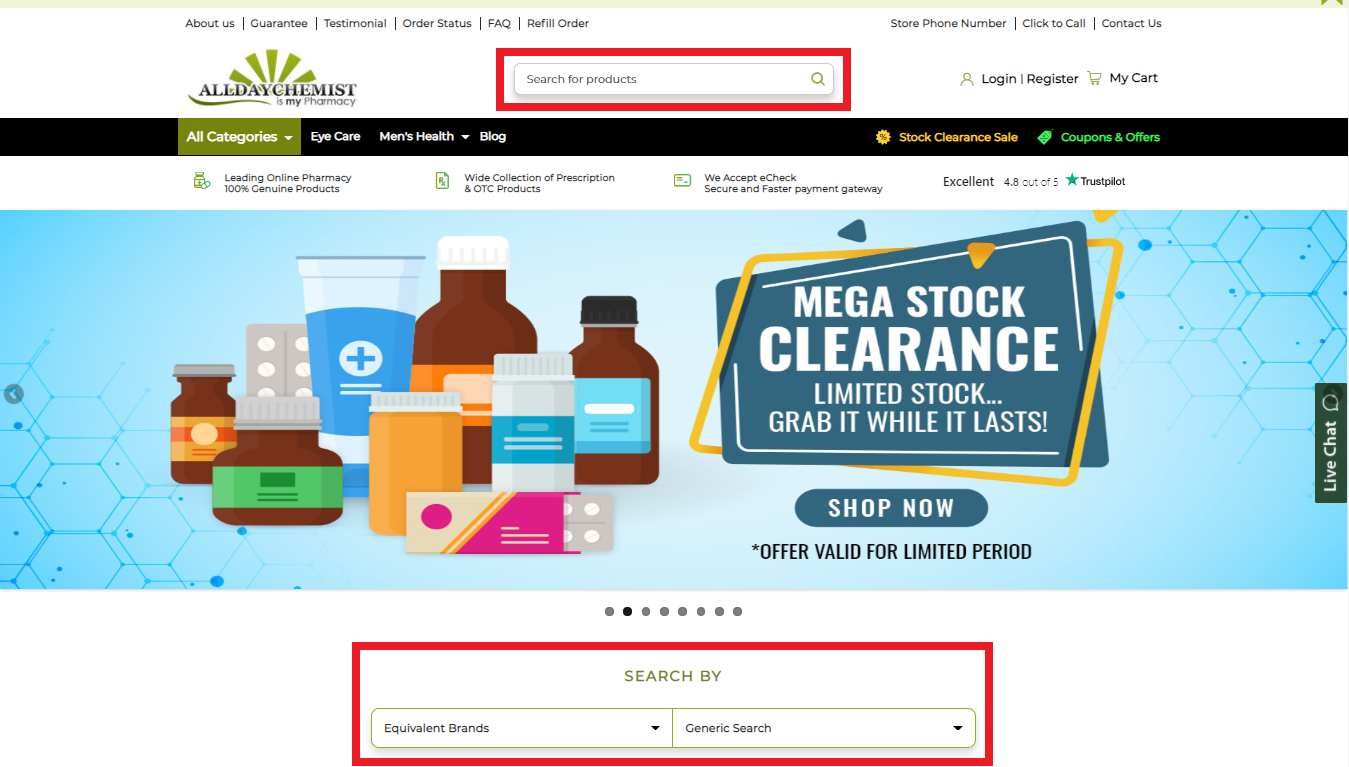
2. Click on the product name or select ‘See All’ to view complete product details. 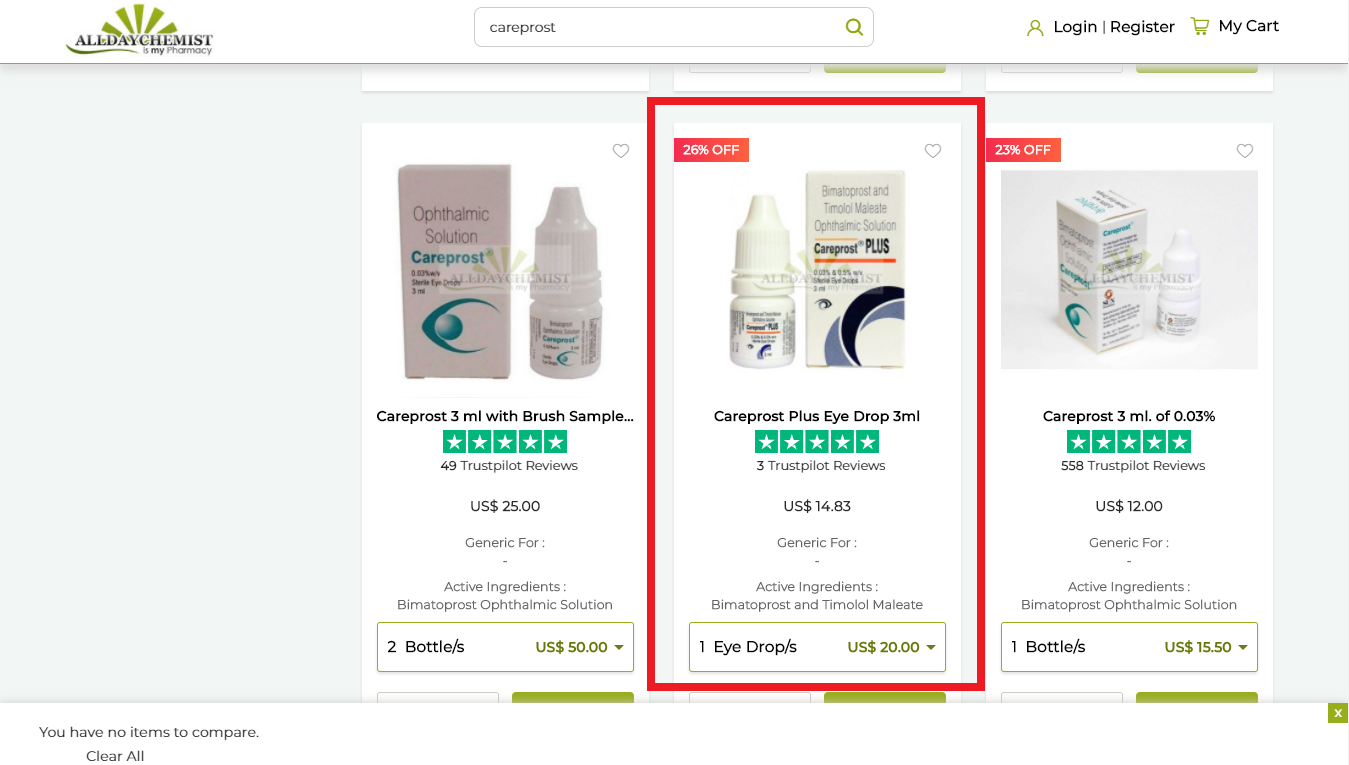
3. Select the desired pack size, choose the quantity if you wish to order more than one unit, and add it to your cart. 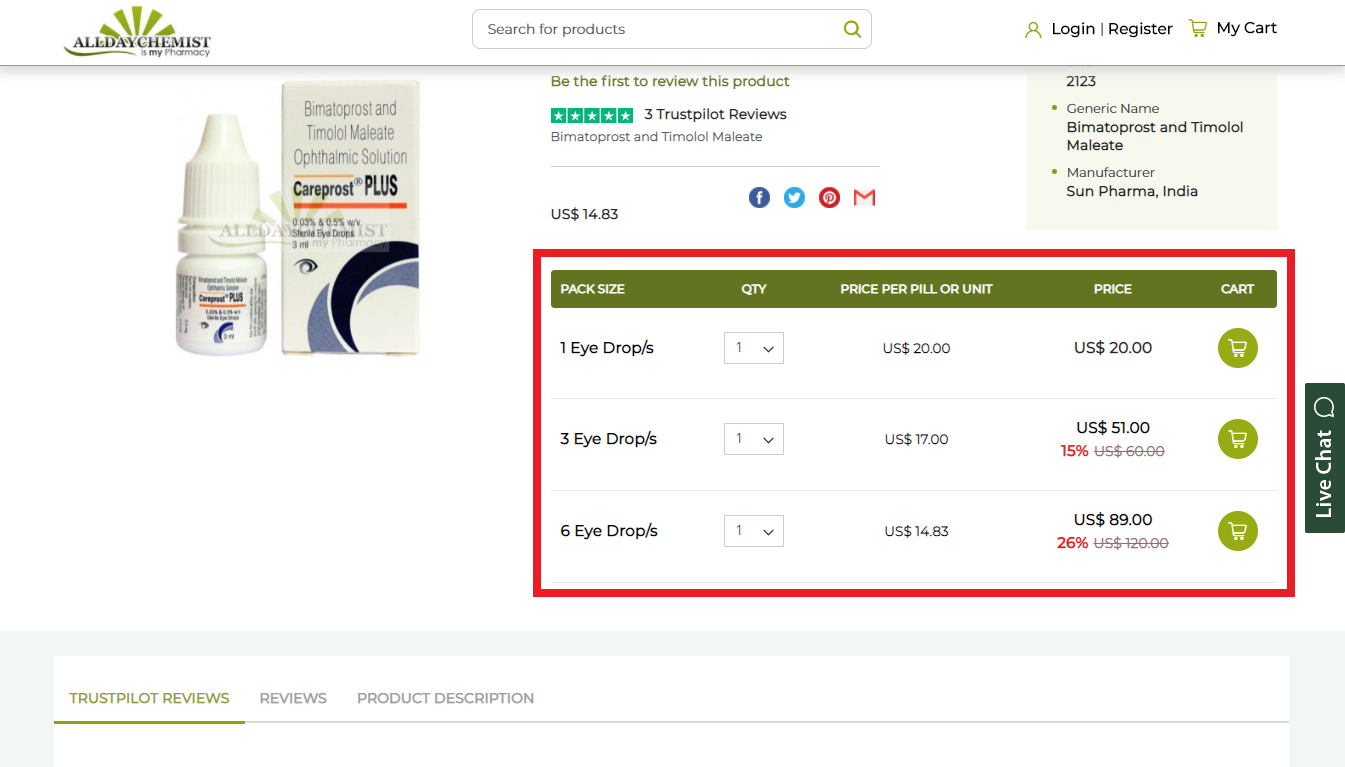
4. Click on ‘View Cart’ or ‘Checkout’ to proceed. 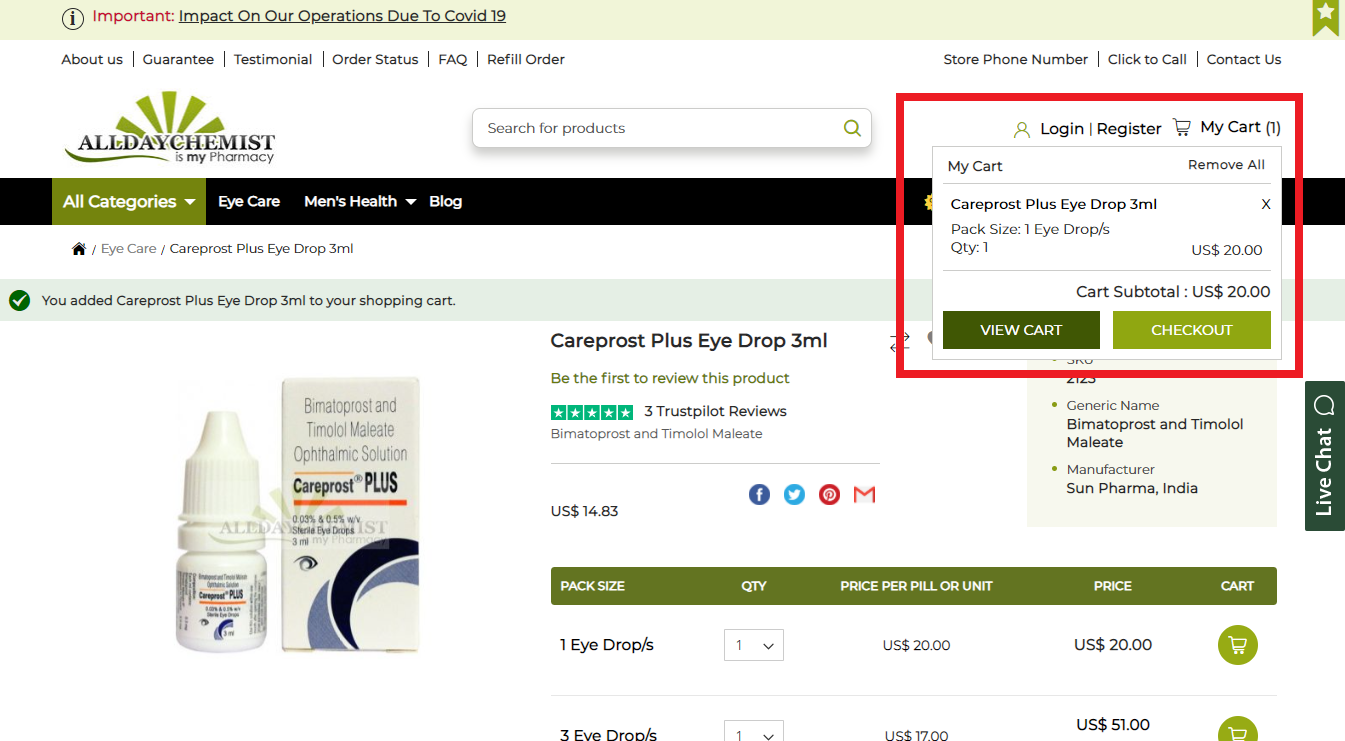
5. When the pop-up appears, choose ‘Create an Account’ if you are a new customer, or ‘Sign In’ if you already have an account. 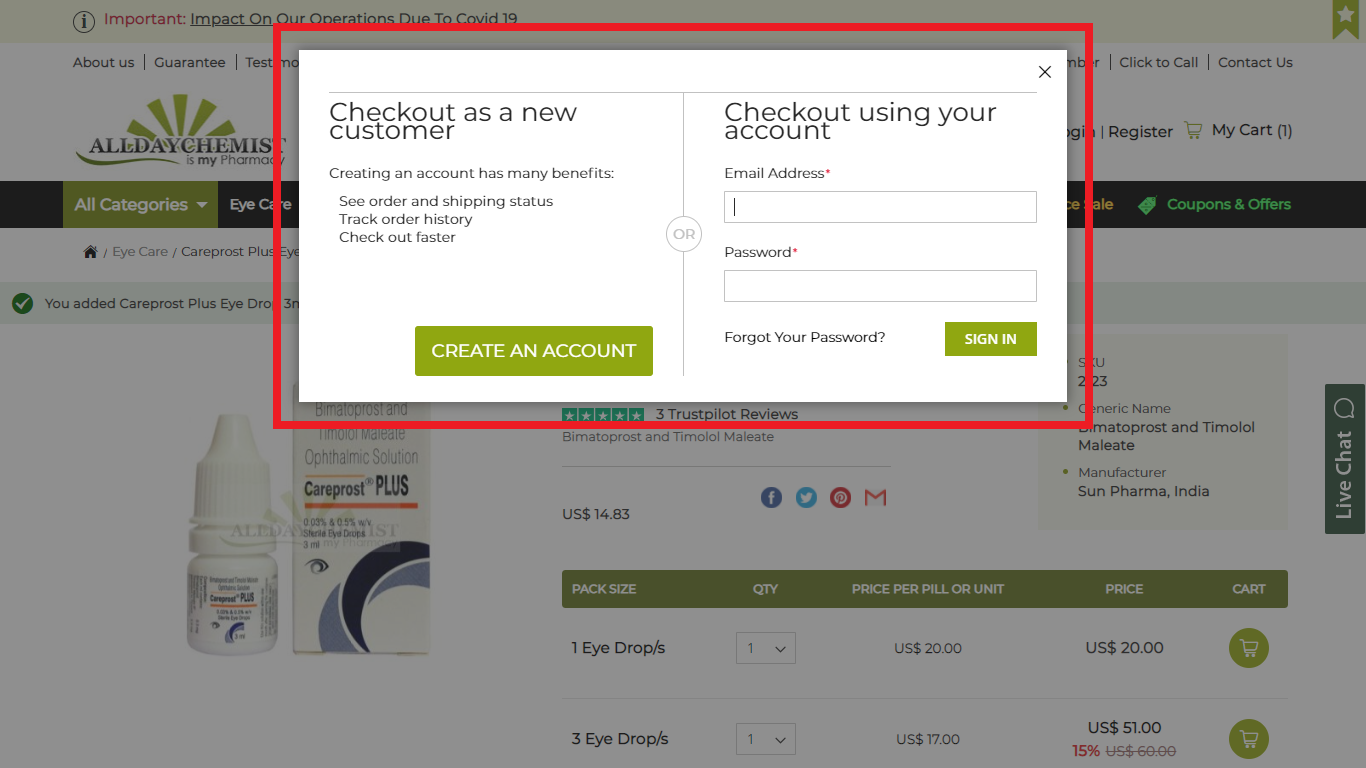
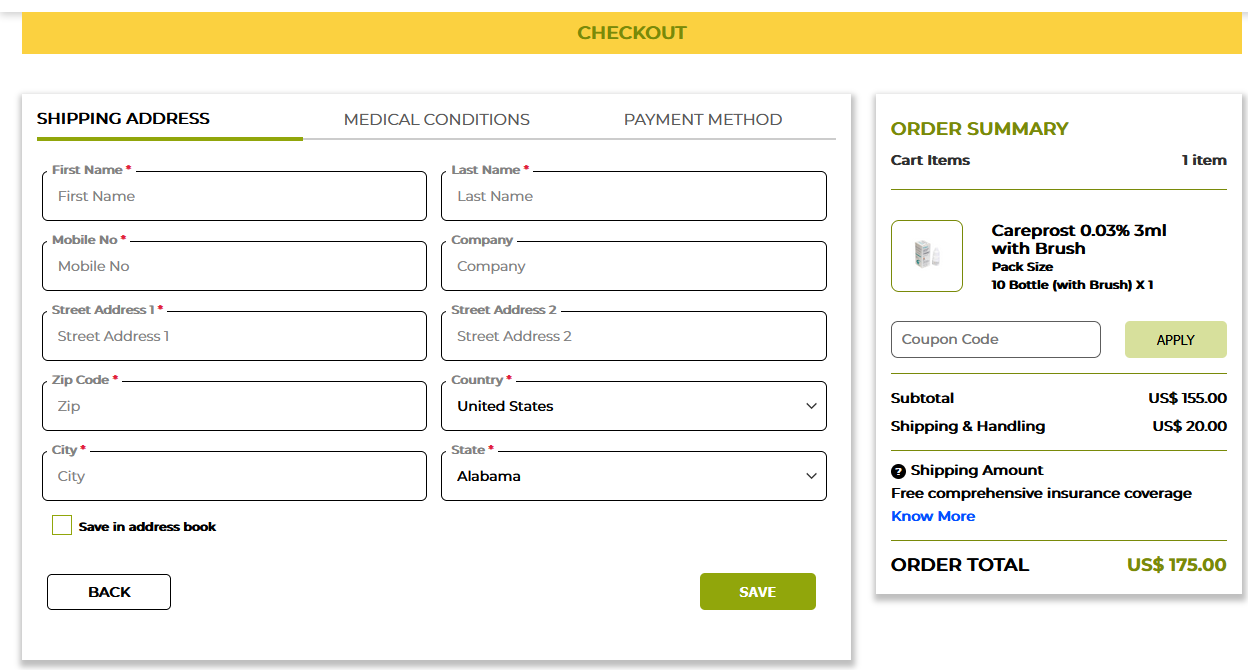
6. Enter your shipping and billing address, along with your contact details, and click ‘Save’. 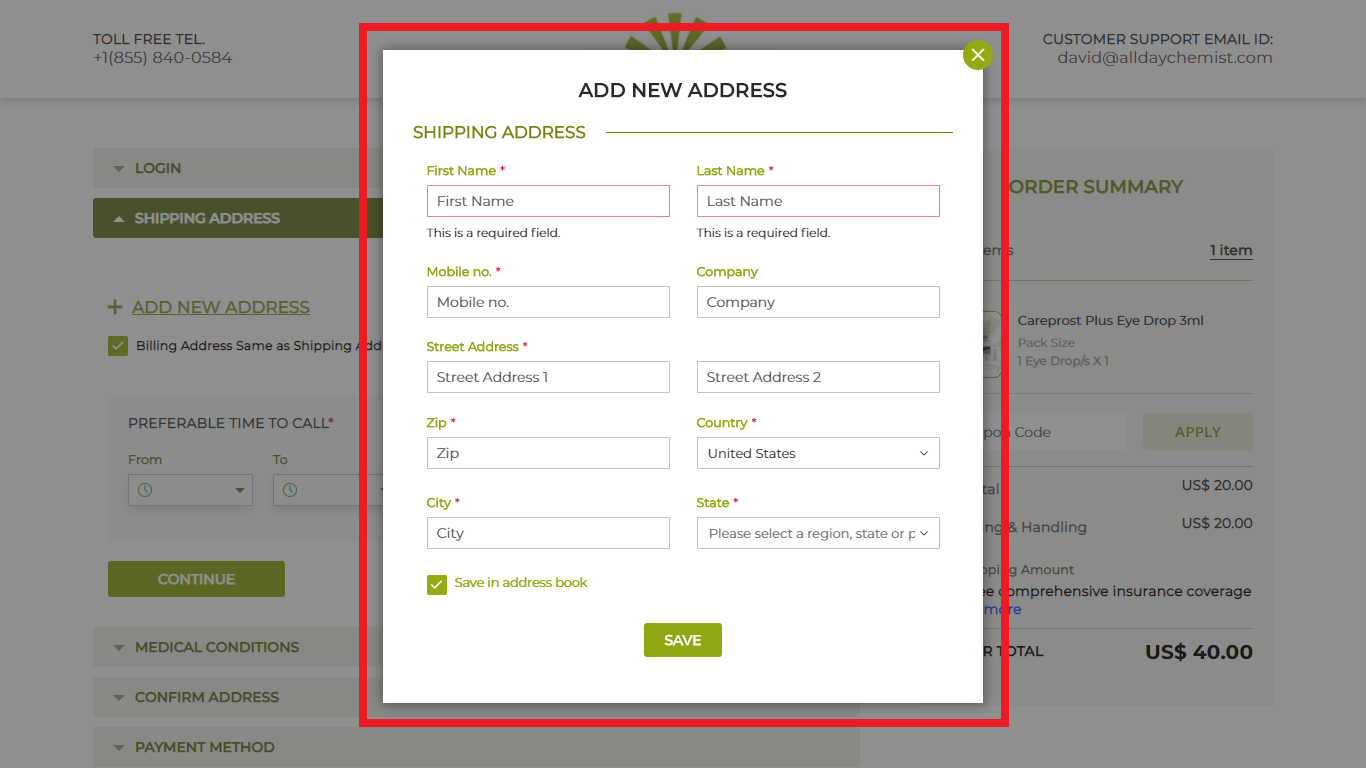
7. Select your preferred time to call from the dropdown menu, then click ‘Continue’. 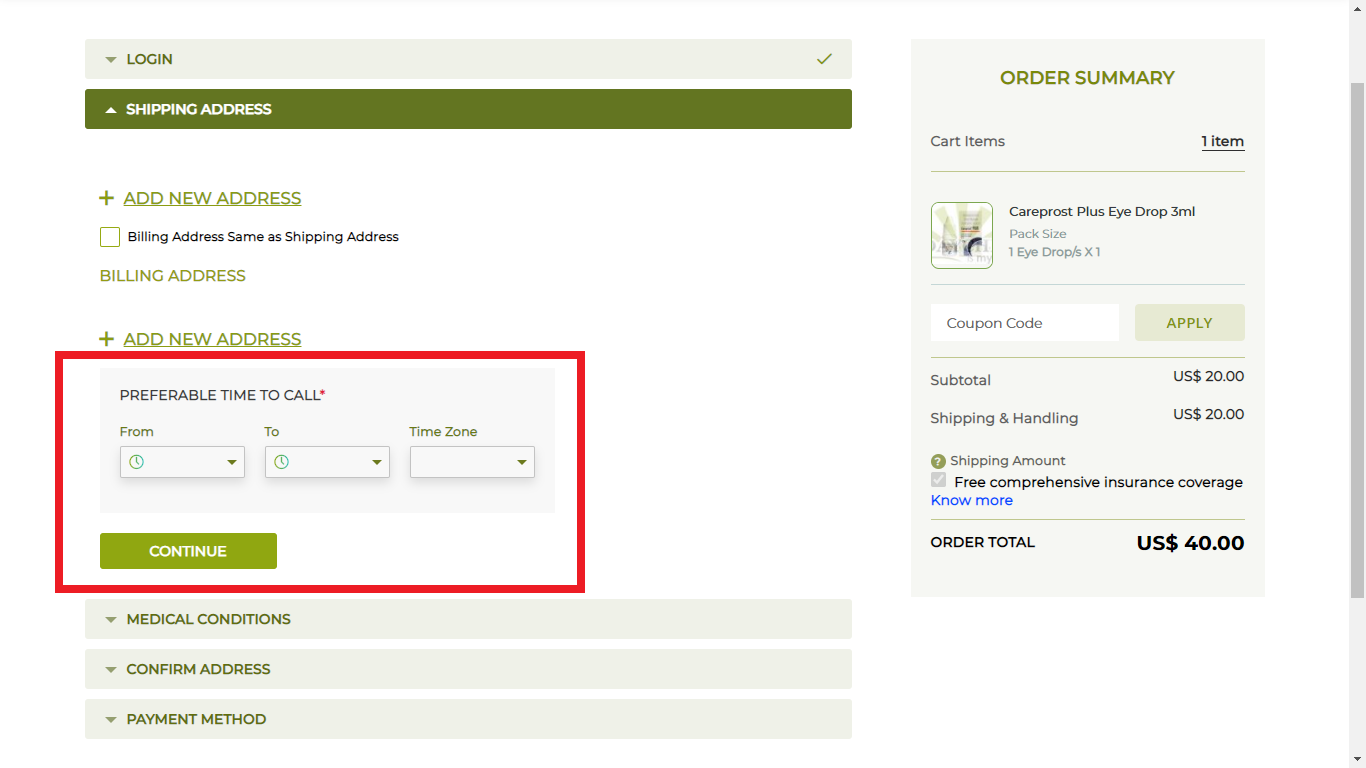
8. In the ‘Medical Conditions’ section, provide details of any drug allergies, current medications, or ongoing treatments (if applicable). Prescriptions can be emailed to info@alldaychemist.com or faxed to +1 760 284 5903. Review the disclaimer and click ‘Continue’ if you agree. 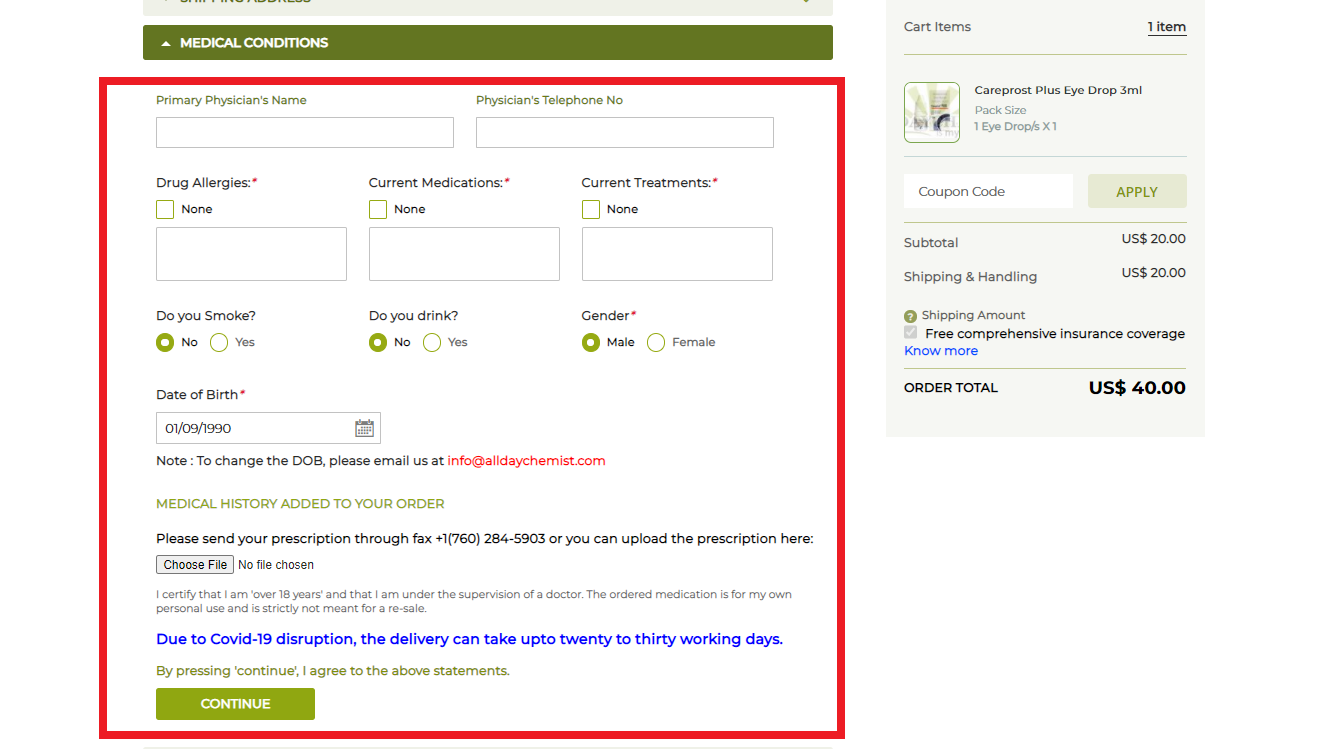
9. Under Payment Method, select your preferred payment option, enter the required details, and complete the payment. 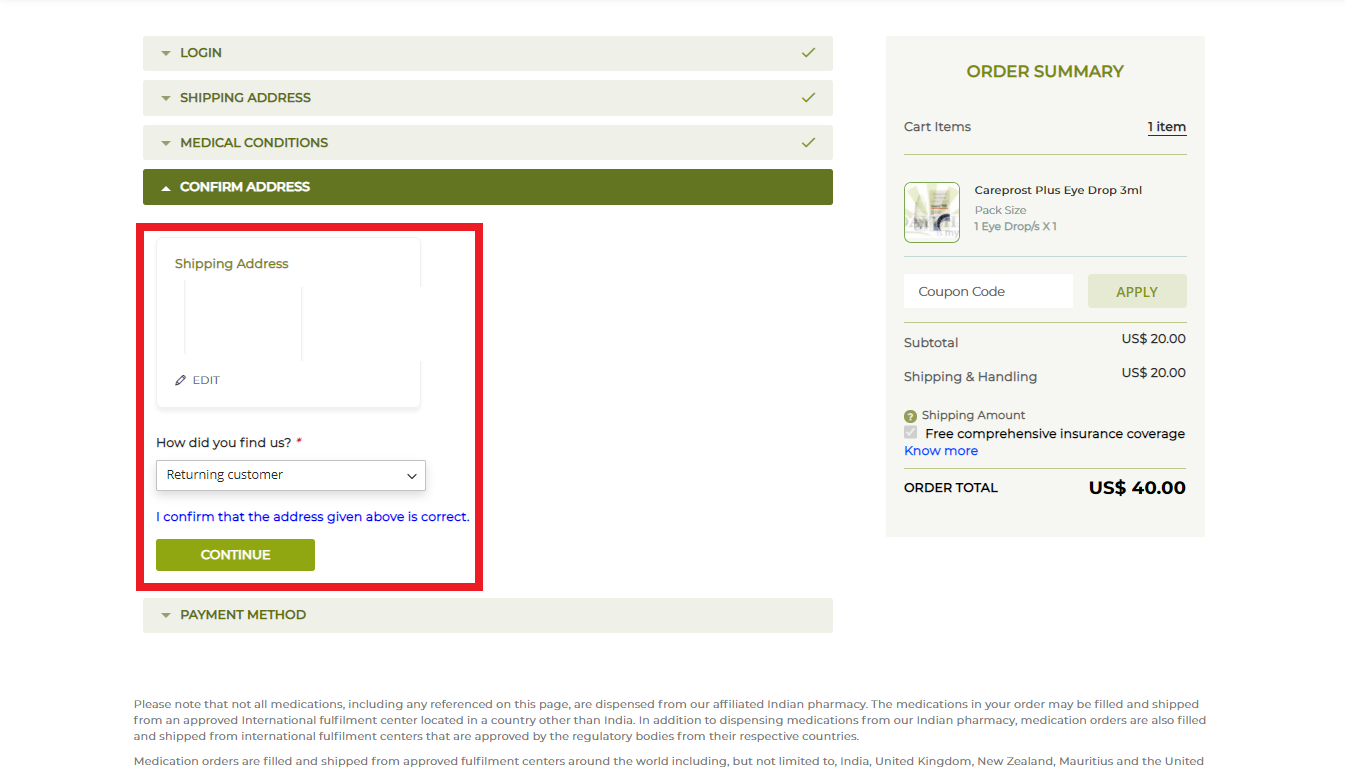
10. Note down your order number for future reference. An order confirmation email will also be sent to your registered email address. 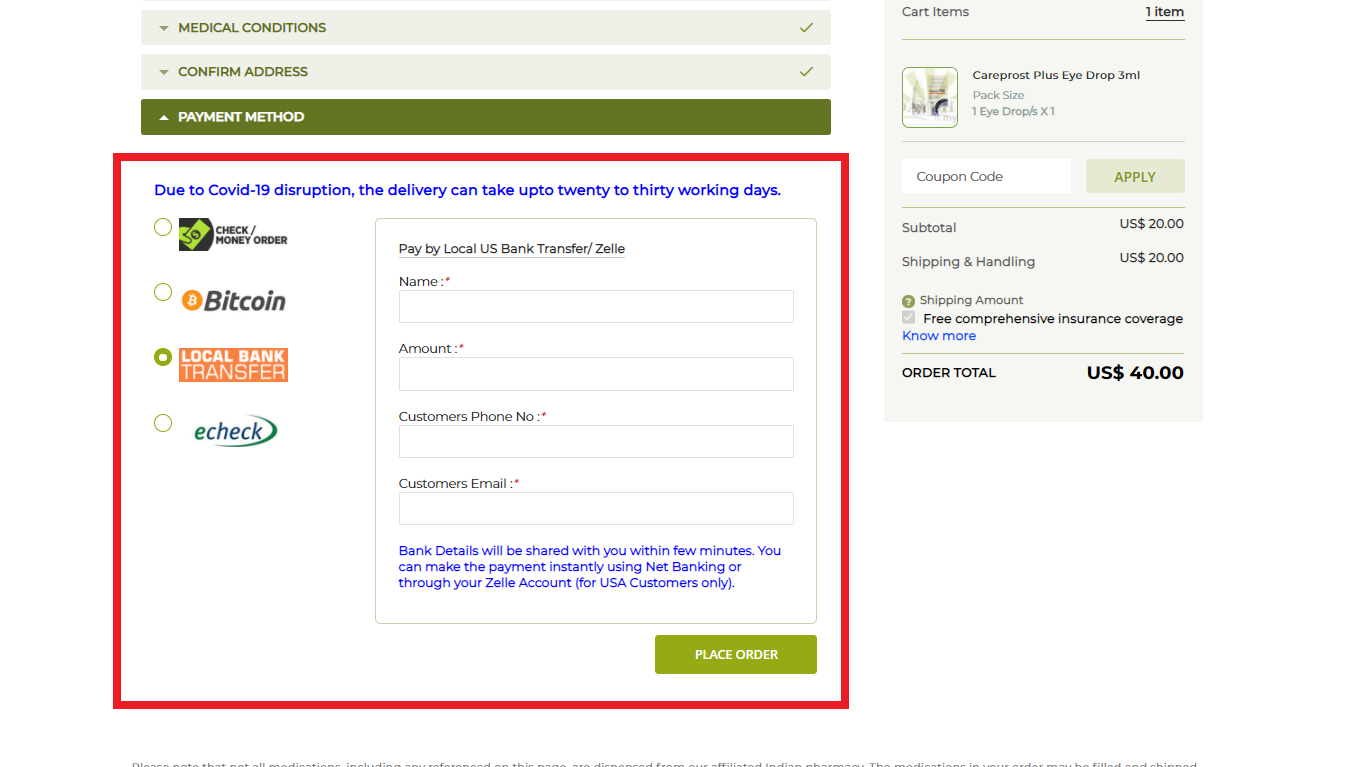
Leading Online Pharmacy
100% Genuine
Products
& OTC Products
Login
Sign up
Leading Online Pharmacy
100% Genuine
Products
& OTC Products
Login
Sign Up
Leading Online Pharmacy
100% Genuine
Products
& OTC Products
Forgot Password ?